Work / Code Atlas
Code Atlas
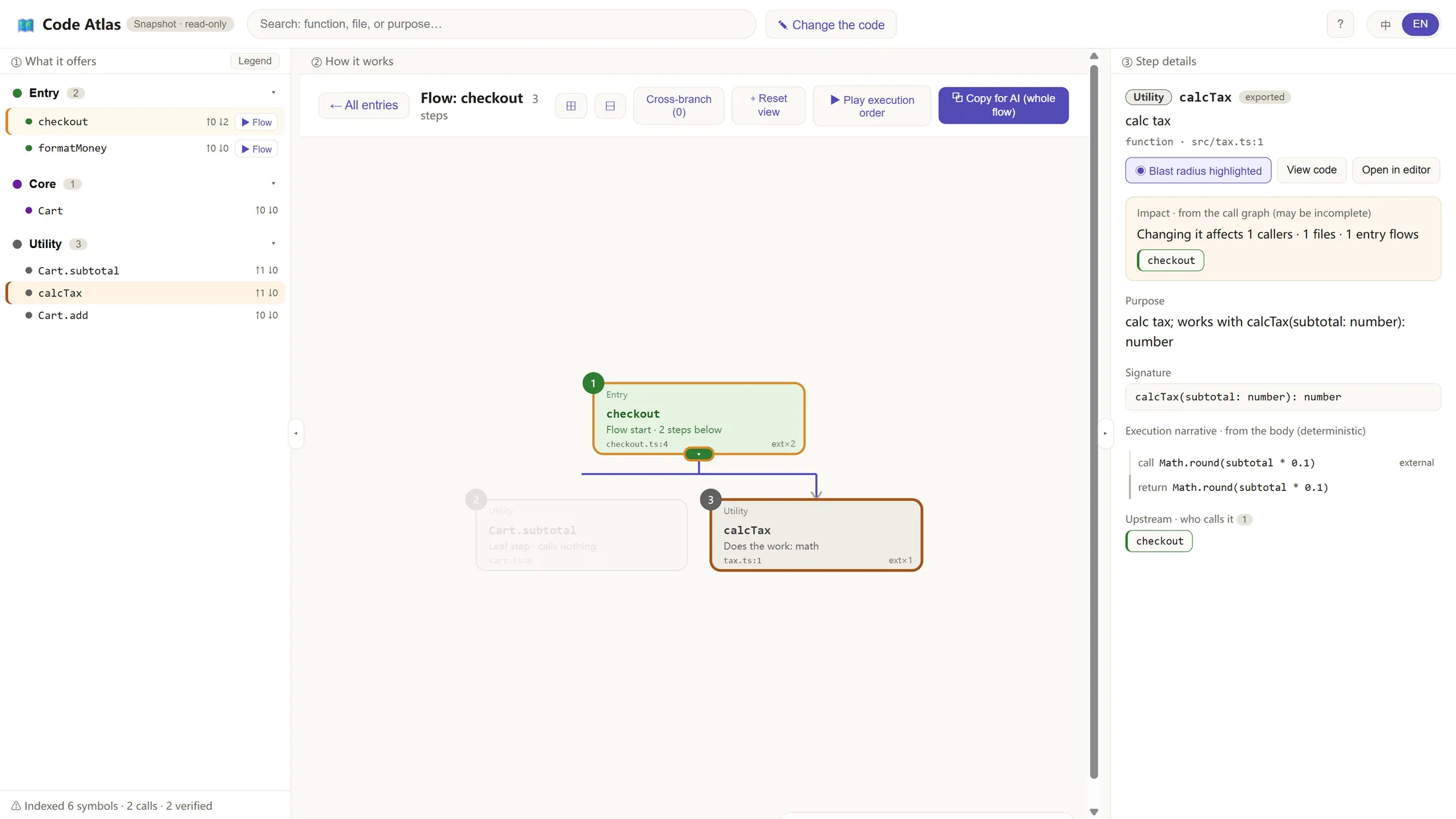
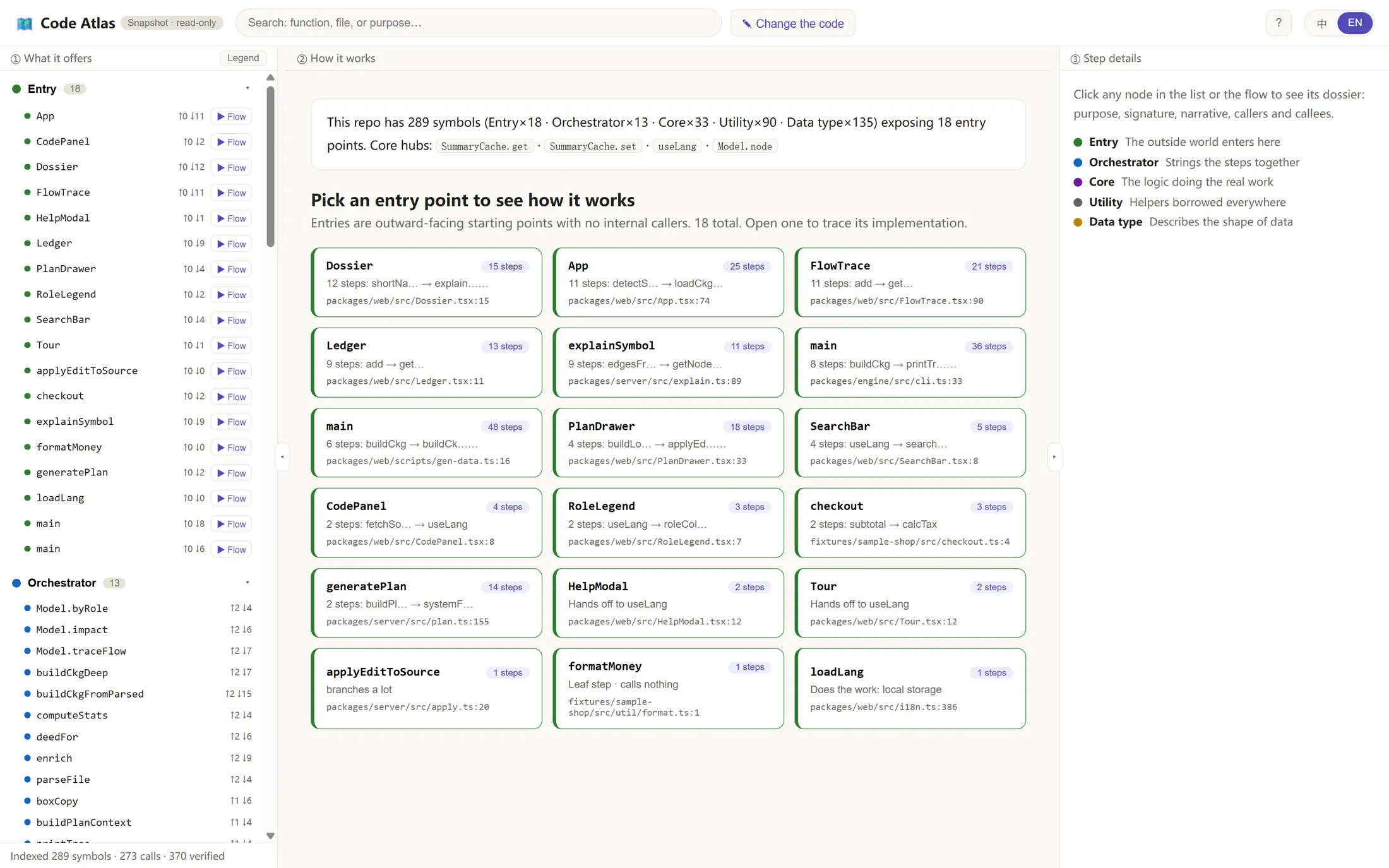
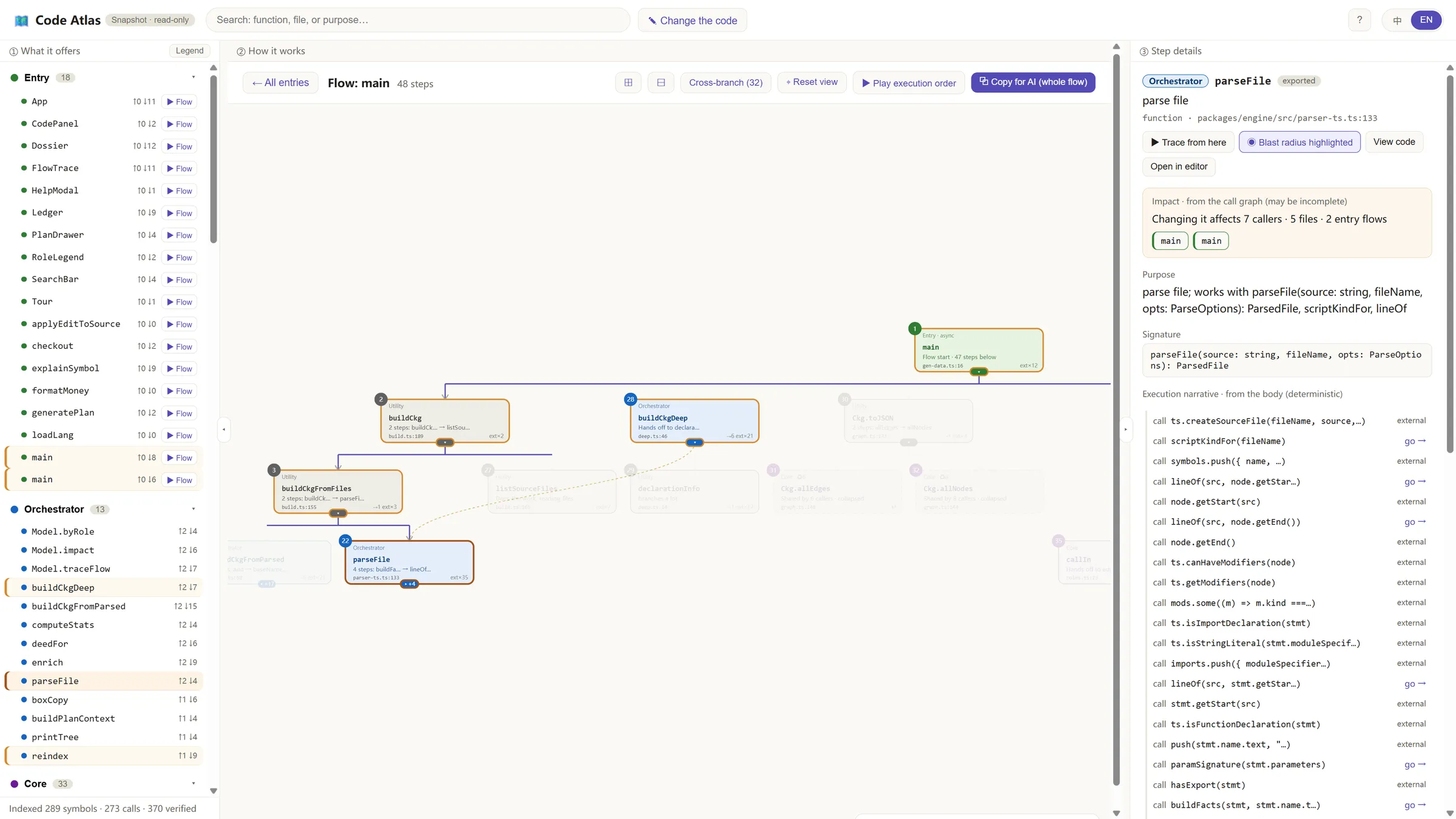
A local workbench that maps a TypeScript codebase's calls, traces each feature's flow in execution order, and shows what a change will affect before you make it.
| Type | Personal project |
|---|---|
| Timeline | Jul 2026 |
| Status | Prototype |
| Stack | TypeScript, TypeScript compiler API, Node, React, Vite, Anthropic SDK |
| Code | Private repository |
The problem
When an AI coding agent writes most of a codebase, nobody keeps a mental model of it. Bugs can only be thrown back at the agent, and each fix can break something else, because the agent also sees only part of the system. File trees and raw call graphs show the structure but not the intent: they draw the complexity as spaghetti.
I wanted a tool that shows what each part of the code does, how a feature actually runs, and what a change will touch, before anyone edits anything.
How it works
1Parse
- TypeScript compiler API
- Symbols, imports, ordered calls
2Resolve
- Type checker finds the real target
- Follows aliases across files
3Graph
- Stable IDs from path and signature
- No line numbers
4Roles and impact
- Entry, orchestrator, core, utility, data
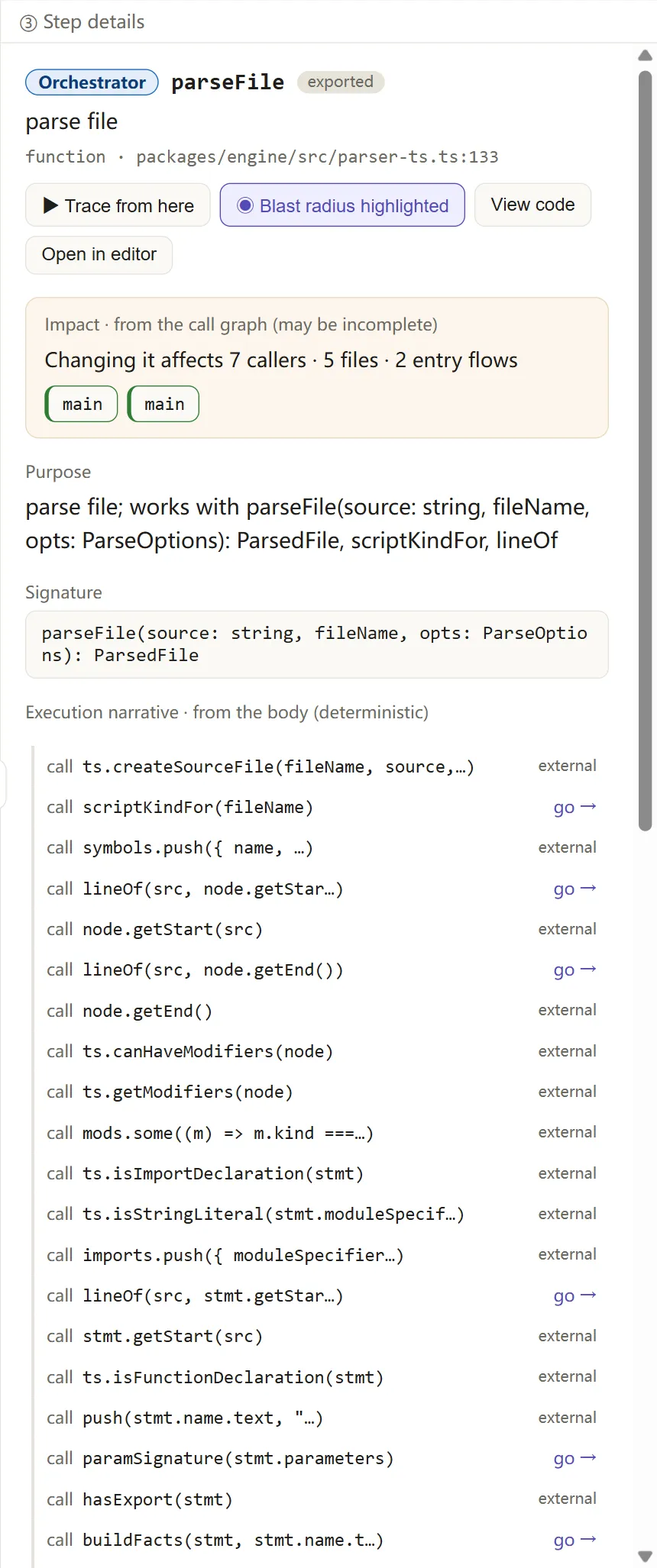
- Callers, files and entry flows affected
5Workbench
- Ledger, flow trace, dossier
- Live re-index on save
Saving a file re-indexes the repository and the map updates without a page reload.
Key decisions
- From “a file tree in disguise” to role, entry and flow. The first version let you zoom through directories, which turned out to be the file tree with a new skin. The redesign organises the code by what it does (its role), where a feature starts (its entry point) and the order its steps run in.
- Calls resolved by the type checker, not by name. Matching calls by function name drops or misroutes edges; a test with two classes that both have a
run()method proves the difference. Resolving each call with the TypeScript type checker connects it to the real declaration, across files and aliases. - Stable IDs without line numbers. IDs are built from the file path and a hash of the signature, so the map doesn’t jump around when someone edits a file above a function.
- The LLM as an optional layer. Claude can add plain-language labels, step-by-step explanations and structured change plans, but every view works from deterministic facts alone, and the interface says honestly when no model is connected.
- Safe edits. A change plan is applied only when the text to replace occurs exactly once, and never outside the repository.
- Animation instead of 3D. 3D views hurt program comprehension through occlusion and lost spatial memory, so motion is used only where it means something: replaying a flow in execution order and rippling an impact outward by call distance.
Results so far
| Measure | Value | Context |
|---|---|---|
| Map of its own code | 346 nodes, 695 edges | Deterministic: the same input always gives the same map |
| Type-checked call edges | 370 | Each resolved to its real declaration |
| Callable functions with no edges | 6% | Isolated callables after type-checked resolution |
| Live re-index | about 1 s | From saving a file to the map updating, without a reload |
Known limit: calls into standard-library types can still be matched by name to the wrong function. Treating them as external is the next fix.